|
Thema |
Forum |
Letzter Beitrag |
Beiträge |
Zugriffe |
 |
 [Release] Heroes & General - No Recoil
Erstellt am: Mo 18. Aug 2014, 20:23
[Release] Heroes & General - No Recoil
Erstellt am: Mo 18. Aug 2014, 20:23
KN4CK3R
 Vorschau Vorschau
|
Other FPS Games |
Mo 19. Sep 2016, 13:17
von lulumachen
|
3 |
8441 |
|
[Release] OldSchoolHack BP DoDS RC83
Erstellt am: So 30. Sep 2012, 22:55
KN4CK3R
Vorschau
Go To Post
OldSchoolHack - Day of Defeat:Source - BP - RC83 by KN4CK3R 0. injector and dll must have the SAME name (osh.exe, osh.dll or whatever) 1. start DoD:S and wait while loading 2. start oshbpdods.exe 3. read the infos in the DoDS console 4. play Changes: - updated offsets FAQ: If the game crashes for you, try to use the windowmode. Need more help? https://www.oldschoolhack.me/forum/support/7160,howtouse-osh-bp.html Features: - sv_cheats Bypass / NUM1 - sv_consistency Bypass / NUM2 - Modelwireframe / NUM3 - no Particles / NUM4 - Fullbrightmode / NUM5 - no Sky / NUM6 happy fragging https://www.oldschoolhack.me Um Links zu sehen, musst du dich registrierenUm Links zu sehen, musst du dich registrierenDownload OldSchoolHack BP DoDS RC83
|
Day of Defeat |
So 18. Sep 2016, 04:27
von flo1488
|
1 |
2713 |
|
[Release] CoD BlackSun Hack v1
Erstellt am: So 10. Jan 2010, 12:05
KN4CK3R
Vorschau
Go To Post
Status : Punkbuster undetected (08-Jan-2010) Support : CoD v1.5 Features ~~~~~~~~~~~~~~~~~~~~~~~~~~~~~~~~~~~~~~~~~ - Wallhack - No Recoil Install ~~~~~~~~~~~~~~~~~~~~~~~~~~~~~~~~~~~~~~~~~ 1. start CoD 2. start a dll injection tool e.g. Winject 3. inject the dll into the game process 4. join a server Press F1 -> toggle cod game console Press F2 -> Disable Wallhack & No Recoil Download CoD BlackSun Hack v1
|
Call of Duty 1 |
Sa 17. Sep 2016, 15:06
von magnom
|
1 |
3476 |
|
[Release] GunZ Strawberry Beta UGG Hack
Erstellt am: So 14. Sep 2014, 12:58
KN4CK3R
Vorschau
|
Other FPS Games |
Do 15. Sep 2016, 19:17
von Alcu
|
1 |
2178 |
|
[Release] CS:GO Material Wallhack
Erstellt am: Mo 11. Jun 2012, 01:28
KN4CK3R
Vorschau
Go To Post
CS:Global Offensive Texture\Wallhack Credits: al0816 (Basics) TeamDarkness(Update & Bug Fixes) SuperNova (VPKPatcher) Installation : After patching the pak01_dir ( simple start vpk patcher , it auto patches the pak01_dir) ,create a folder in STEAM/STEAMAPPS/common/counter strike gloabal offensive/csgo called addons and put the vkp file there Download CS:GO Material Wallhack
|
Counter-Strike: Global Offensive |
Mo 12. Sep 2016, 03:34
von Delta51
|
2 |
7154 |
|
[Release] League of Legends - Camera Tool
Erstellt am: Mi 19. Jun 2013, 09:57
KN4CK3R
Vorschau
Go To Post
Kategorie: OtherEntwickler: Coded by *M* Beschreibung: League Of Legends Camera Tool Status: Undetected Coded by: *M* - A camera tool to play around with some camera functions in the client. This tool uses autodetection and survived the last few major patches so should continue working for the forseeable future unless there are significant code changes in the client.  Unlock Camera Unlock Camera - Unlock zoom scrolling to Zoom in/out as far as you want. Alternate Zoom - Moves the camera away from the game world rather than changing zoom values. View Distance ++ - Extends the draw distance to stop the blackness the appears when zooming too far out or looking down a lane in third person. Set Field of View - Increase/Decrease field of view. Camera Rotation - Change the rotation of the camera for top down/third person effects. Disable Fog of War - Turns off the fog of war, only a visual effect, cannot be used to see the location of enemy players.  Run while In-Game Hotkeys: Run while In-Game Hotkeys:TEXT Code: Numpad / - Enable Hotkeys Numpad * - Disable Hotkeys Numpad1 - Unlock Zoom Numpad3 - Lock Zoom Numpad4/6 - Horizontal Camera Rotation Numpad2/8 - Vertical Camera Rotation Numpad7 - Alternate Zoom on Numpad9 - Alternate Zoom off Numpad0 - Extend Draw Distance Numpad. - Restore Draw Distance Numpad+ - Increase FOV Numpad- - Decrease FOV Numpad5 - Reset all
Screenshots: 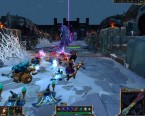 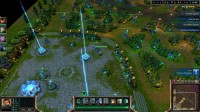 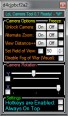 Download Download: [Other] League of Legends - Camera Tool
|
Andere MMO und Strategie Spiele |
So 11. Sep 2016, 15:10
von System
|
11 |
30892 |
|
[Release] League of Legends - Camera Tool
Erstellt am: Mi 19. Jun 2013, 09:57
KN4CK3R
Vorschau
Go To Post
Kategorie: Massively Multiplayer Online (MMO) and StrategyEntwickler: *M* Beschreibung: LoL Camera Tool A camera tool to play around with some camera functions in the client. This tool uses auto-detection and survived the last few major patches so should continue working for the foreseeable future unless there are significant code changes in the client.  Explanation: Explanation: Unlock Camera - Unlock zoom scrolling to Zoom in/out as far as you want. Alternate Zoom - Moves the camera away from the game world rather than changing zoom values. View Distance ++ - Extends the draw distance to stop the blackness the appears when zooming too far out or looking down a lane in third person. Set Field of View - Increase/Decrease field of view. Camera Rotation - Change the rotation of the camera for top down/third person effects. Disable Fog of War - Turns off the fog of war, only a visual effect, cannot be used to see the location of enemy players. Hotkeys: Numpad / - Enable Hotkeys Numpad * - Disable Hotkeys Numpad1 - Unlock Zoom Numpad3 - Lock Zoom Numpad4/6 - Horizontal Camera Rotation Numpad2/8 - Vertical Camera Rotation Numpad7 - Alternate Zoom on Numpad9 - Alternate Zoom off Numpad0 - Extend Draw Distance Numpad. - Restore Draw Distance Numpad+ - Increase FOV (Tick FOV Box first) Numpad- - Decrease FOV Numpad5 - Reset all Third Person Normal Games only, Doesn't work with replay/spectate (Crash)  Fly Camera Hotkeys: Fly Camera Hotkeys: Left Click(Hold) - Change Direction NumPad8 - Move Forward NumPad5 - Move Backward NumPad7 - Turn Right NumPad9 - Turn Left NumPad4 - Strafe Left NumPad6 - Strafe Right NumPad1 - Pitch Down NumPad3 - Pitch Up  Free Camera Free Camera Lets you rotate the camera by holding down middle click or LCtrl.  Screenshots Screenshots: 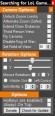 Download Download: LoL Camera Tool 1.54
|
Andere MMO und Strategie Spiele |
So 11. Sep 2016, 15:10
von System
|
11 |
30892 |
|
[Release] League of Legends - Camera Tool
Erstellt am: Mi 19. Jun 2013, 09:57
KN4CK3R
Vorschau
Go To Post
Kategorie: Massively Multiplayer Online (MMO) and StrategyEntwickler: *M* Beschreibung: A camera tool to play around with some camera functions in the client. This tool uses auto-detection and survived the last few major patches so should continue working for the foreseeable future unless there are significant code changes in the client. Explanation: Unlock Camera - Unlock zoom scrolling to Zoom in/out as far as you want. Alternate Zoom - Moves the camera away from the game world rather than changing zoom values. View Distance ++ - Extends the draw distance to stop the blackness the appears when zooming too far out or looking down a lane in third person. Set Field of View - Increase/Decrease field of view. Camera Rotation - Change the rotation of the camera for top down/third person effects. Disable Fog of War - Turns off the fog of war, only a visual effect, cannot be used to see the location of enemy players. Hotkeys: Numpad / - Enable Hotkeys Numpad * - Disable Hotkeys Numpad1 - Unlock Zoom Numpad3 - Lock Zoom Numpad4/6 - Horizontal Camera Rotation Numpad2/8 - Vertical Camera Rotation Numpad7 - Alternate Zoom on Numpad9 - Alternate Zoom off Numpad0 - Extend Draw Distance Numpad. - Restore Draw Distance Numpad+ - Increase FOV (Tick FOV Box first) Numpad- - Decrease FOV Numpad5 - Reset all Third Person Normal Games only, Doesn't work with replay/spectate (Crash) Fly Camera Hotkeys: Left Click(Hold) - Change Direction NumPad8 - Move Forward NumPad5 - Move Backward NumPad7 - Turn Right NumPad9 - Turn Left NumPad4 - Strafe Left NumPad6 - Strafe Right NumPad1 - Pitch Down NumPad3 - Pitch Up Free Camera Lets you rotate the camera by holding down middle click or LCtrl. Screenshots: Download: LoL Camera Tool 1.52
|
Andere MMO und Strategie Spiele |
So 11. Sep 2016, 15:10
von System
|
11 |
30892 |
|
[Release] League of Legends - Camera Tool
Erstellt am: Mi 19. Jun 2013, 09:57
KN4CK3R
Vorschau
Go To Post
Kategorie: Massively Multiplayer Online (MMO) and StrategyEntwickler: *M* Beschreibung: LoL Camera Tool 1.50 Update -Fixed some broken sigs for patch 4.2 -Moved scanner into separate thread -Added rotation sensitivity options -Tidy up some code, will probably release soon. Explanation: Unlock Camera - Unlock zoom scrolling to Zoom in/out as far as you want. Alternate Zoom - Moves the camera away from the game world rather than changing zoom values. View Distance ++ - Extends the draw distance to stop the blackness the appears when zooming too far out or looking down a lane in third person. Set Field of View - Increase/Decrease field of view. Camera Rotation - Change the rotation of the camera for top down/third person effects. Disable Fog of War - Turns off the fog of war, only a visual effect, cannot be used to see the location of enemy players. Hotkeys: Numpad / - Enable Hotkeys Numpad * - Disable Hotkeys Numpad1 - Unlock Zoom Numpad3 - Lock Zoom Numpad4/6 - Horizontal Camera Rotation Numpad2/8 - Vertical Camera Rotation Numpad7 - Alternate Zoom on Numpad9 - Alternate Zoom off Numpad0 - Extend Draw Distance Numpad. - Restore Draw Distance Numpad+ - Increase FOV (Tick FOV Box first) Numpad- - Decrease FOV Numpad5 - Reset all Third Person Normal Games only, Doesn't work with replay/spectate (Crash) Fly Camera Hotkeys: Left Click(Hold) - Change Direction NumPad8 - Move Forward NumPad5 - Move Backward NumPad7 - Turn Right NumPad9 - Turn Left NumPad4 - Strafe Left NumPad6 - Strafe Right NumPad1 - Pitch Down NumPad3 - Pitch Up Free Camera Lets you rotate the camera by holding down middle click or LCtrl. Screenshots: 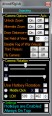 Download Download: LoL Camera Tool 1.50
|
Andere MMO und Strategie Spiele |
So 11. Sep 2016, 15:10
von System
|
11 |
30892 |
|
[Release] League of Legends - Camera Tool
Erstellt am: Mi 19. Jun 2013, 09:57
KN4CK3R
Vorschau
Go To Post
Kategorie: Massively Multiplayer Online (MMO) and StrategyEntwickler: *M* Beschreibung: A camera tool to play around with some camera functions in the client. This tool uses autodetection and survived the last few major patches so should continue working for the forseeable future unless there are significant code changes in the client. Explanation: Unlock Camera - Unlock zoom scrolling to Zoom in/out as far as you want. Alternate Zoom - Moves the camera away from the game world rather than changing zoom values. View Distance ++ - Extends the draw distance to stop the blackness the appears when zooming too far out or looking down a lane in third person. Set Field of View - Increase/Decrease field of view. Camera Rotation - Change the rotation of the camera for top down/third person effects. Disable Fog of War - Turns off the fog of war, only a visual effect, cannot be used to see the location of enemy players. Hotkeys: Numpad / - Enable Hotkeys Numpad * - Disable Hotkeys Numpad1 - Unlock Zoom Numpad3 - Lock Zoom Numpad4/6 - Horizontal Camera Rotation Numpad2/8 - Vertical Camera Rotation Numpad7 - Alternate Zoom on Numpad9 - Alternate Zoom off Numpad0 - Extend Draw Distance Numpad. - Restore Draw Distance Numpad+ - Increase FOV (Tick FOV Box first) Numpad- - Decrease FOV Numpad5 - Reset all Third Person Normal Games only, Doesn't work with replay/spectate (Crash) Fly Camera Hotkeys: Left Click(Hold) - Change Direction NumPad8 - Move Forward NumPad5 - Move Backward NumPad7 - Turn Right NumPad9 - Turn Left NumPad4 - Strafe Left NumPad6 - Strafe Right NumPad1 - Pitch Down NumPad3 - Pitch Up Free Camera Lets you rotate the camera by holding down middle click or LCtrl. Screenshots: Download: League of Legends Camera Tool 1.42
|
Andere MMO und Strategie Spiele |
So 11. Sep 2016, 15:10
von System
|
11 |
30892 |
|
[Release] CS:GO Offset Dumper v1.0
( 1 2)
Erstellt am: Mo 9. Jun 2014, 13:46 1 2)
Erstellt am: Mo 9. Jun 2014, 13:46
KN4CK3R
Vorschau
Go To Post
Kategorie: Counter-Strike: Global OffensiveEntwickler: Y3t1y3t Beschreibung: > Fixed Nullpointer for m_lifestate, m_fFlags, m_iHealth, m_iFov - How to -
> Run the programm as admin...
> follow the programm comments...
> hf.
- Changelog -
1.3:
> Fixed Nullpointer for m_lifestate, m_fFlags, m_iHealth, m_iFov
1.2:
> Fixed ViewMatrix flickering ( temp )
> Fixed ViewMatrix returning EngineSize
1.1:
> Fixed Nullpointer for m_iCrosshairID
1.0:
> Fixed everything Screenshots: 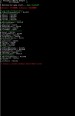 Download Download: CS:GO Offset Dumper v1.3
|
Counter-Strike: Global Offensive |
So 11. Sep 2016, 15:10
von System
|
21 |
34112 |
|
[Release] CS:GO Offset Dumper v1.0
( 1 2)
Erstellt am: Mo 9. Jun 2014, 13:46
KN4CK3R
Vorschau
Go To Post
Kategorie: Counter-Strike: Global OffensiveEntwickler: Y3t1y3t Beschreibung: > Fixed EnginePointer - Offsets TEXT Code: Release: 09/08/2k14 - - - - - - - - - - - - - Tool by Y3t1y3t(uc) - - - - - - - - - - - - - - How to - > Run the programm as admin... > follow the programm comments... > hf. - Changelog - 1.4: > Fixed EnginePointer - Offsets 1.3: > Fixed Nullpointer for m_lifestate, m_fFlags, m_iHealth, m_iFov 1.2: > Fixed ViewMatrix flickering ( temp ) > Fixed ViewMatrix returning EngineSize 1.1: > Fixed Nullpointer for m_iCrosshairID 1.0: > Fixed everything ^_^
Screenshots: Download: CS:GO Offset Dumper v1.4
|
Counter-Strike: Global Offensive |
So 11. Sep 2016, 15:10
von System
|
21 |
34112 |
|
[Release] CS:GO Offset Dumper v1.0
( 1 2)
Erstellt am: Mo 9. Jun 2014, 13:46
KN4CK3R
Vorschau
|
Counter-Strike: Global Offensive |
So 11. Sep 2016, 15:10
von System
|
21 |
34112 |
|
[Release] CoD4 ESP Hack v2
Erstellt am: Do 16. Apr 2009, 12:24
KN4CK3R
Vorschau
|
Call of Duty 4: Modern Warfare |
Sa 10. Sep 2016, 18:41
von XiN0
|
4 |
4938 |
|
[Release] TF2 Public 1.0
( 1 2)
Erstellt am: Sa 14. Jun 2014, 16:06
KN4CK3R
Vorschau
Go To Post
Kategorie: TeamFortress 2Entwickler: SEGnosis Beschreibung: FeaturesPlayer Boxes Health Bars Visual Check Boxes Width Menu x64 Bit Support Windows 8 Support How to use Run the exe, then start your game Make sure to turn off multicore rendering Press insert to toggle the menu Navigate the menu with the arrow keys Status Undetected Gametype
All Screenshots: 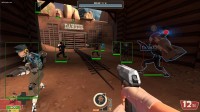 Download Download: TF2 Public v1.2
|
Team Fortress 2 |
Fr 9. Sep 2016, 18:40
von FloppyMLG
|
36 |
19836 |
|
[Release] TF2 Public 1.0
( 1 2)
Erstellt am: Sa 14. Jun 2014, 16:06
KN4CK3R
Vorschau
Go To Post
Kategorie: TeamFortress 2Entwickler: SEGnosis Beschreibung: Player Boxes Health Bars Visual Check Boxes Width Menu x64 Bit Support Windows 8 Support How to use Run the exe, then start your game Make sure to turn off multicore rendering Press insert to toggle the menu Navigate the menu with the arrow keys Status Undetected Gametype
All Screenshots: Download: TF2 Public 1.6
|
Team Fortress 2 |
Fr 9. Sep 2016, 18:40
von FloppyMLG
|
36 |
19836 |
|
[Release] TF2 Public 1.0
( 1 2)
Erstellt am: Sa 14. Jun 2014, 16:06
KN4CK3R
Vorschau
Go To Post
Kategorie: TeamFortress 2Entwickler: SEGnosis Beschreibung: Player Boxes Health Bars Visual Check Boxes Width Menu x64 Bit Support Windows 8 Support How to use Run the exe, then start your game Make sure to turn off multicore rendering Press insert to toggle the menu Navigate the menu with the arrow keys Status Undetected Gametype
All Screenshots: Download: TF2 Public v1.5
|
Team Fortress 2 |
Fr 9. Sep 2016, 18:40
von FloppyMLG
|
36 |
19836 |
|
[Release] TF2 Public 1.0
( 1 2)
Erstellt am: Sa 14. Jun 2014, 16:06
KN4CK3R
Vorschau
Go To Post
Kategorie: TeamFortress 2Entwickler: SEGnosis Beschreibung: FeaturesPlayer Boxes Health Bars Visual Check Boxes Width Menu x64 Bit Support Windows 8 Support How to use Run the exe, then start your game Make sure to turn off multicore rendering Press insert to toggle the menu Navigate the menu with the arrow keys Status Undetected Gametype
All Screenshots: Download: TF2 Public 1.1
|
Team Fortress 2 |
Fr 9. Sep 2016, 18:40
von FloppyMLG
|
36 |
19836 |
|
[Release] TF2 Public 1.0
( 1 2)
Erstellt am: Sa 14. Jun 2014, 16:06
KN4CK3R
Vorschau
Go To Post
Kategorie: TeamFortress 2Entwickler: SEGnosis Beschreibung: Player Boxes Health Bars Visual Check Boxes Width Menu x64 Bit Support Windows 8 Support How to use Run the exe, then start your game Make sure to turn off multicore rendering Press insert to toggle the menu Navigate the menu with the arrow keys Status Undetected Gametype
All Screenshots: Download: TF2 Public 1.0
|
Team Fortress 2 |
Fr 9. Sep 2016, 18:40
von FloppyMLG
|
36 |
19836 |
|
[Release] Xerwell's C3 Hack
Erstellt am: Fr 5. Jul 2013, 13:43
KN4CK3R
Vorschau
Go To Post
Kategorie: Crysis 3Entwickler: Xerwell Beschreibung: - a Little menu (Press Delete) - Aimbot (Left Ctrl to Aim) - Teleport Hack (Press Z) - Esp (Name, Health Bar, Distance, Box - kind of ;D) Screenshots: 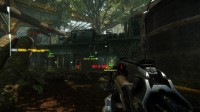 Download Download: [CRYSIS3] Xerwell's C3 Hack
|
Crysis 3 |
Do 8. Sep 2016, 20:22
von RenaAsaoka
|
5 |
5737 |

 English